 Klarfink
BlattPilot – your local PDF workspace
€7.99 once · No subscription
€7.99 once · No subscription
Endpreis. Umsatzsteuerfrei gemäß § 19 UStG (Kleinunternehmerregelung).
Digitaler Download. Sofortige Bereitstellung nach dem Kauf. Keine Versandkosten. Widerrufsrecht


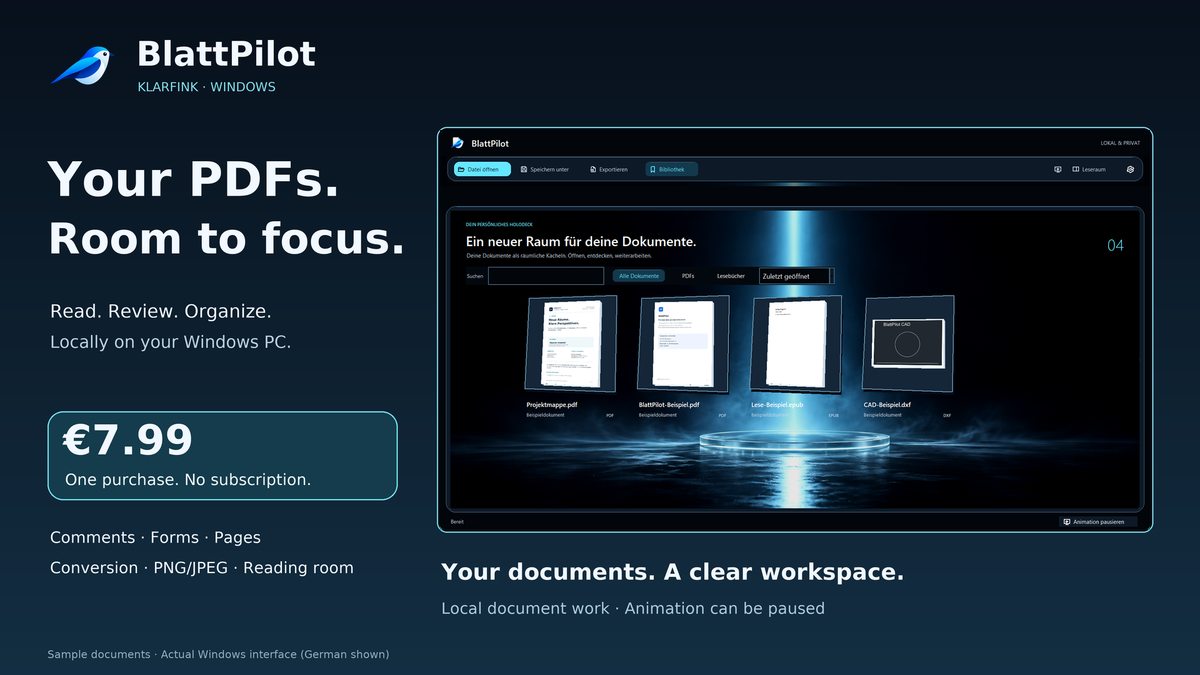
Read, comment on and organize PDFs on your Windows PC. The spacious reading room gives your documents room, while actual preview tiles keep your library easy to browse.
Current download version: BlattPilot 1.3.0 for Windows x64.
A clearer reading experience: Select existing PDF text as a word, line or passage and add a contextual highlight or comment. A single-column reflow text view complements the reading room; it reconstructs reading order in simple two-column PDFs, while complex layouts may differ. Page navigation and search are available from the keyboard. At high zoom, large plans use visible-area tiles and a bounded image cache. Speed depends on the document and PC.
Check before saving: Generate an enlarged preview of a selected page. Editable Office output uses an explicitly labelled structural preview; it is not rendered by Microsoft Office. Save, reuse or delete output profiles for format, resolution and mode, without document text or destination paths in the profile. Larger layout exports use temporary files to reduce RAM use; page, resolution and storage limits still apply.
Recover locally: Bounded automatic recovery copies include drafts and pending changes. Windows DPAPI encrypts them for your current Windows user account. After an interruption, you choose whether to restore an offered copy. This is not a complete backup or encryption of all app data: the library, settings and temporary export images are not covered. Export remnants can remain after a process crash.
More accessible controls: Windows UI Automation exposes named controls and available document text. Pending redactions block access to affected source text through copying, text view and UI Automation. Universal screenreader compatibility or PDF/UA certification is not promised. Some new help text may appear in English.
Core PDF features require no additional paid services. BlattPilot remains a Windows app; native smartphone and tablet apps, managed cloud synchronization and certificate signatures are not included.
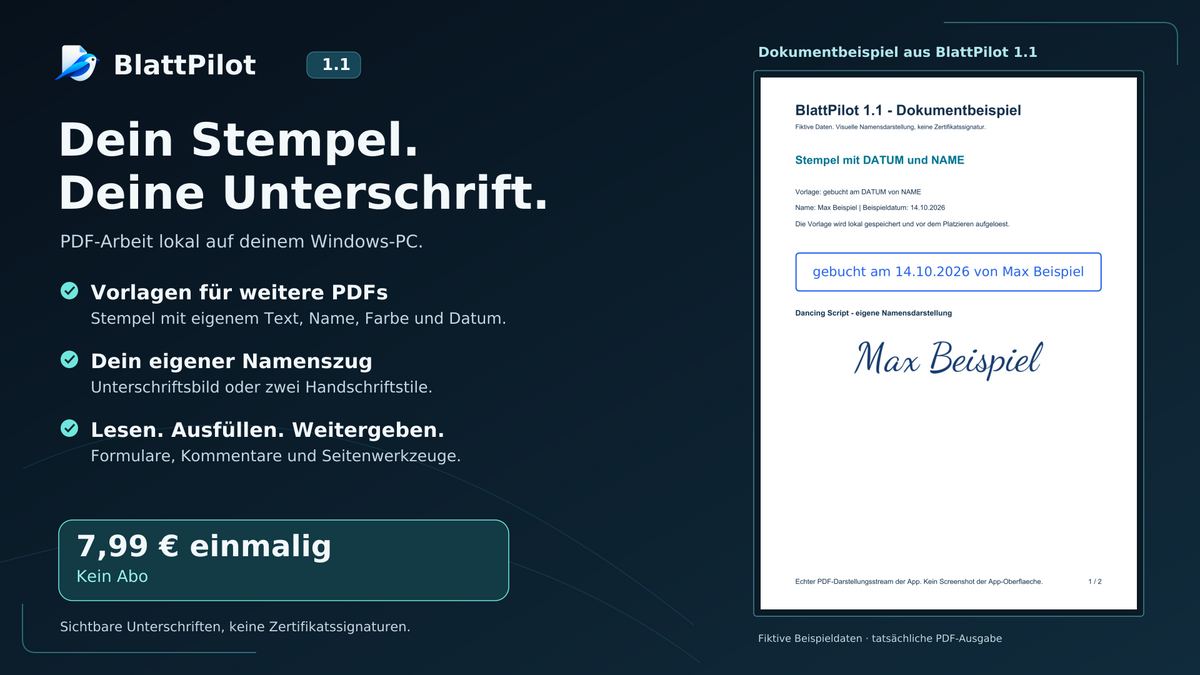
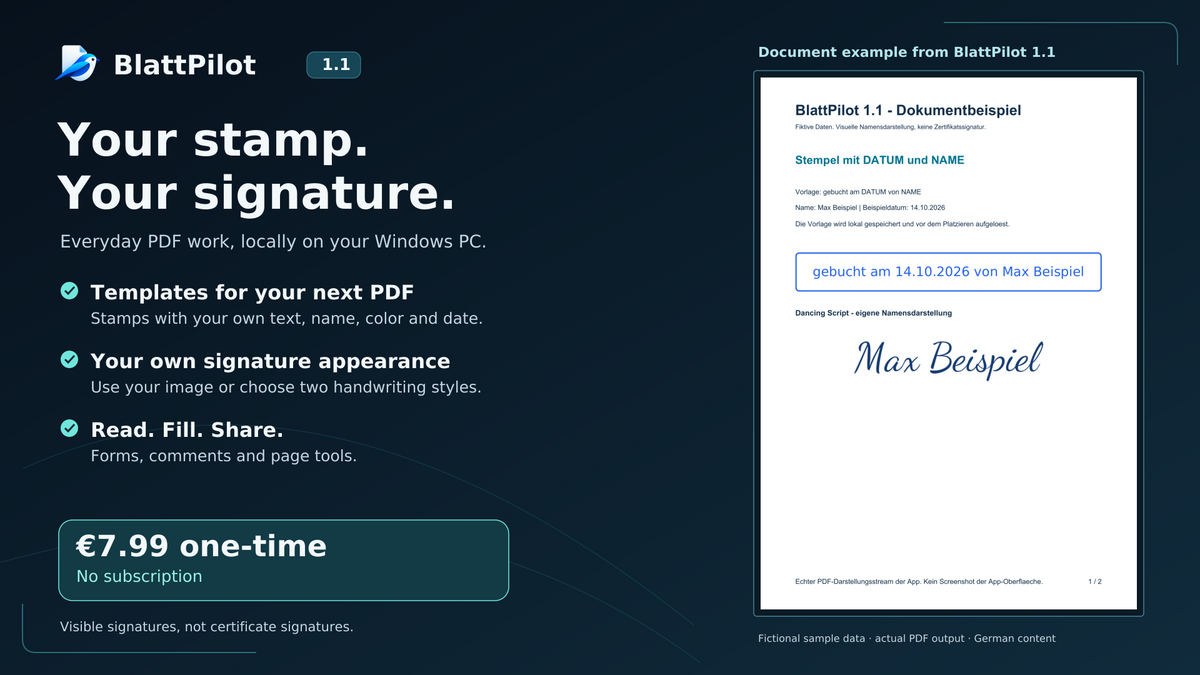
Create booking notes that match your workflow and add your own name directly to the PDF. Design stamps and visible signatures, then use your saved presets in other documents.
Choose your stamp text, name and color. The DATUM and NAME placeholders are replaced automatically before placement. For example, booked on DATUM by NAME becomes booked on 14.10.2026 by Max Example.
Draw your signature directly in the PDF, choose your own image file on your PC, or style your own name with one of two handwriting designs: Caveat and Dancing Script.
Local to your Windows PC: Stamp and signature image presets are stored locally and encrypted by Windows for your user account. Importing a signature image does not require a cloud upload. Deleting a preset does not remove marks already placed in your PDFs.
A clearer reading experience: PDFs open with continuous vertical scrolling and fit-to-width viewing. Portrait pages use the available reading width, with fine mouse-wheel and touchpad scrolling through the document. BlattPilot opens directly without a splash screen; publisher and version details are available in the information panel.
Signatures are visible PDF marks, not cryptographic certificate signatures. Existing certificate signatures are not validated; editing the PDF may invalidate them.
Search PDF text, zoom pages, highlight important passages and return to multiline comments. Add freehand notes or watermarks.
Fill common PDF form fields. Reorder, rotate, remove or extract pages; merge or split PDFs and append selected pages. Bookmarks, presentation mode and the Windows print dialog are included.
Export DOCX, XLS/XLSX, RTF, TXT, HTML or XML. Save one or several selected pages as PNG/JPEG at your chosen resolution. The default preserves page views with colors, font appearance, graphics and annotations. Editable content reconstructs text styles and positions.
Convert DOCX, XLS/XLSX, PPT/PPTX, RTF, TXT and PNG/JPEG to PDF. Local OCR supports German, English, Danish and Spanish. Open 2D DXF and EPUB in simplified views.
Document processing and OCR run on your PC without uploading documents to a cloud. Library paths and previews remain local. Choose a German, English, Danish or Spanish interface. You can pause the spatial animation.
Windows 10 (build 19041 or later) or Windows 11, x64 (64-bit). At least 4 GB RAM; 8 GB recommended.
The direct Windows installer is currently unsigned. Windows or SmartScreen may display a warning when you download or run it.
Arbitrary existing PDF text cannot be rewritten with a universal text editor. Editable exports may differ in fonts, spacing and tables. Editable Excel contains text cells and text styles, with graphics, form appearances and annotation appearances omitted. Choose the default export to retain these as page images. Office conversion may simplify layout; legacy PPT requires existing Microsoft PowerPoint. Microsoft Office is not included. Review OCR results. Drawn signatures are not certificate signatures, and existing signatures are not validated. XFA and DWG are unsupported. Permanent redaction creates an image PDF and removes text selection, links and interactive forms.